

GuidesProducts
Standard or Service Products
Create products and services sold for a fixed fee.
Use a standard or service product for anything you charge a fixed fee for, such as a platform subscription, a license, a setup fee, or professional services.
Create a Standard or Service Product
- Go to Products and click Create product.
- Select Standard or service product and click Next.
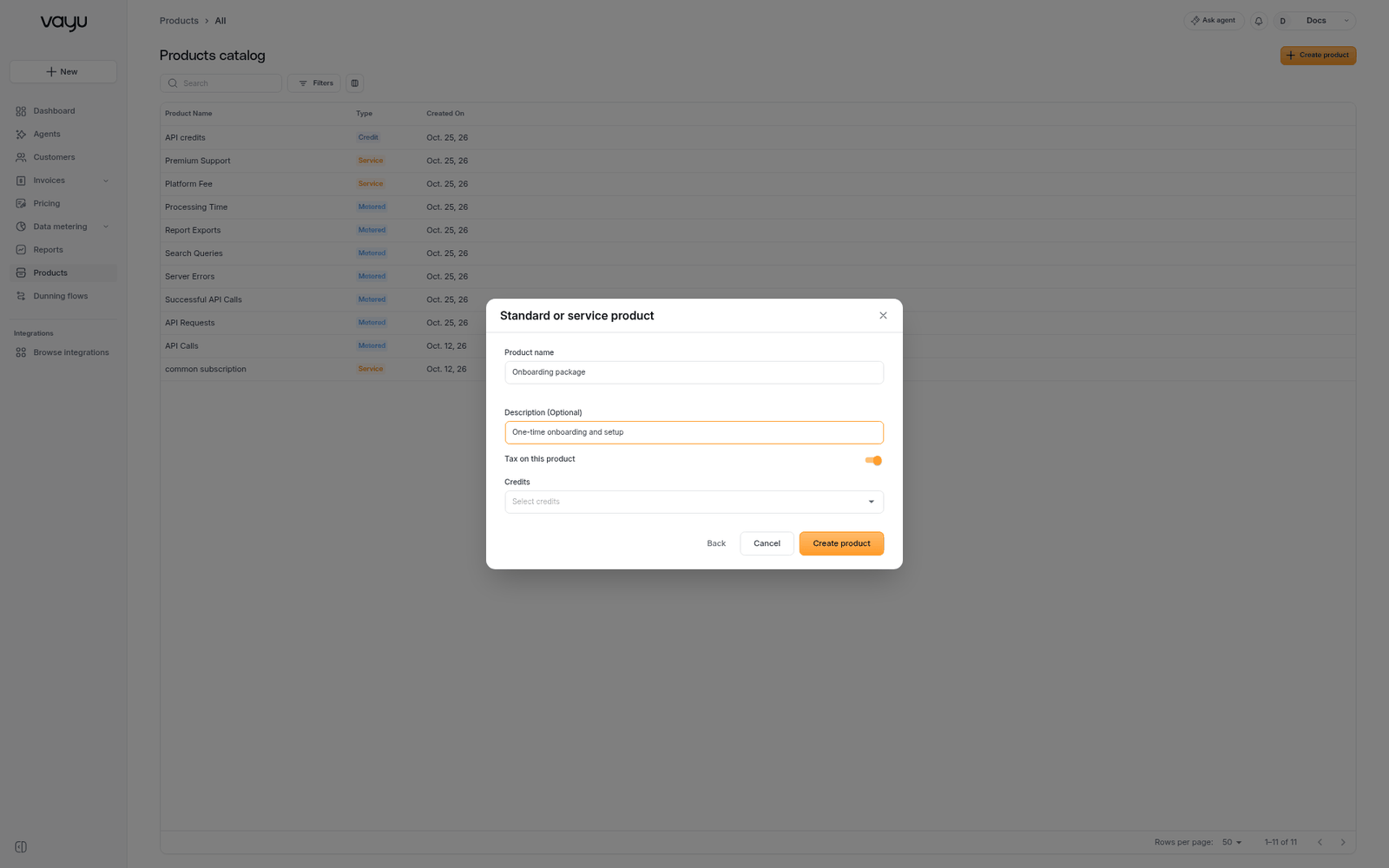
- Fill in the fields below and click Create product.
| Field | Description |
|---|---|
| Product name | Required. Shown on plans, contracts, and invoices |
| Description | Optional. What the product includes |
| Tax on this product | Whether the product is taxable |
| Credits | The credit products that apply to this product |
If you've connected an ERP or tax integration, you can also map the product to its record there.
To reuse an existing catalog product's settings, see Linking a Catalog Product.
Edit a Standard or Service Product
Open the product and click Edit, or choose Edit from the row menu. Change the details and click Update product.