

Customer Invoices Portal
Share a dedicated invoice portal link with each customer
The Customer Invoices Portal gives customers a dedicated, external-facing view of their invoices without requiring access to the Vayu application. Internal Customer Success, finance, and account-management teams can also use the portal to review the same information available to the customer.
Accessing the Invoices Portal
Each customer profile has a unique, password-less access link scoped to that customer. No manual enablement is required.
To retrieve the link, go to Customers on the left-hand side menu. Select the relevant customer, then go to that customer’s Settings page.
Scroll down to the Invoices section and click + Customer invoices portal on the right side of the section header.
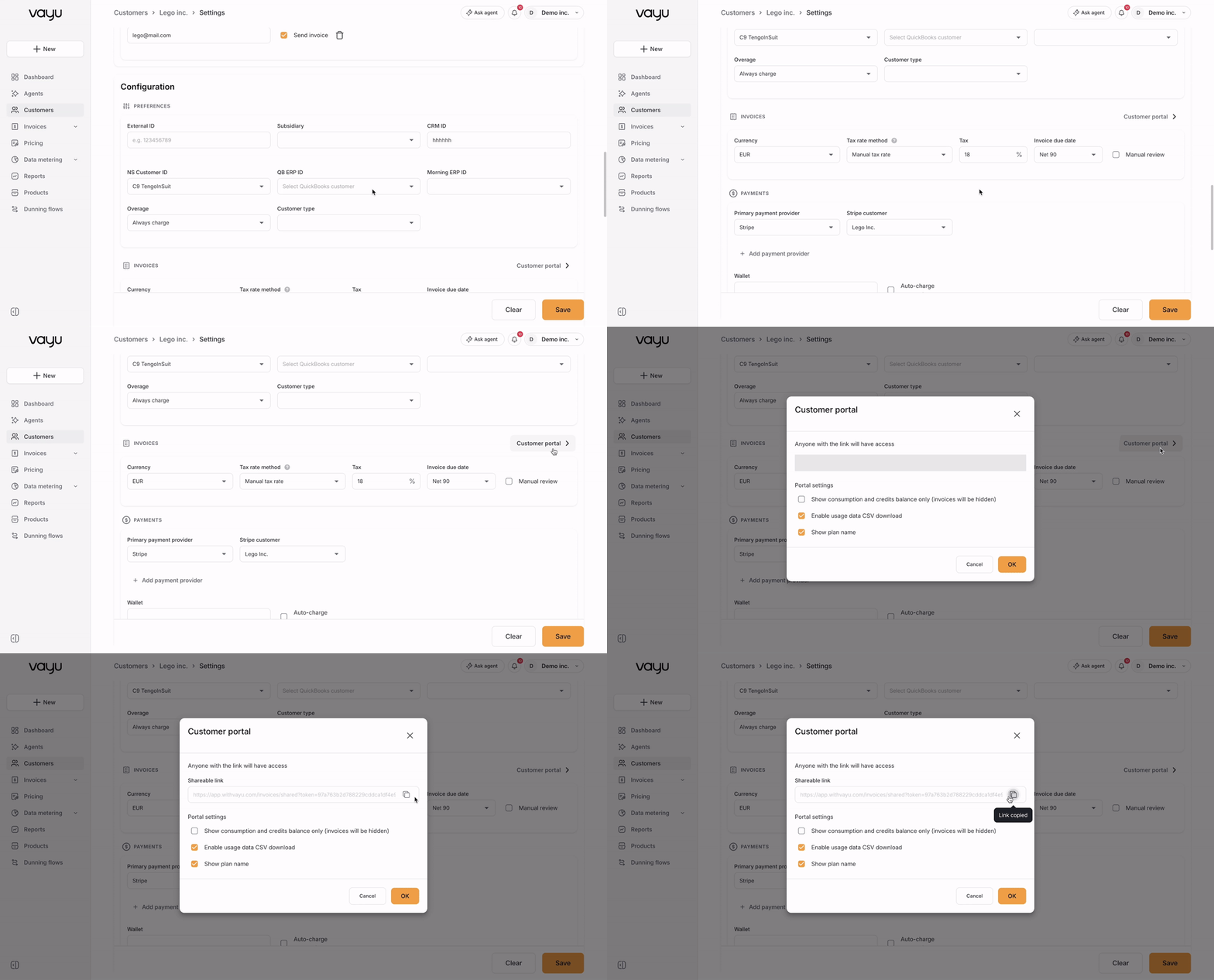
The Customer Portal window opens. Click the copy-link icon beside the shareable URL.
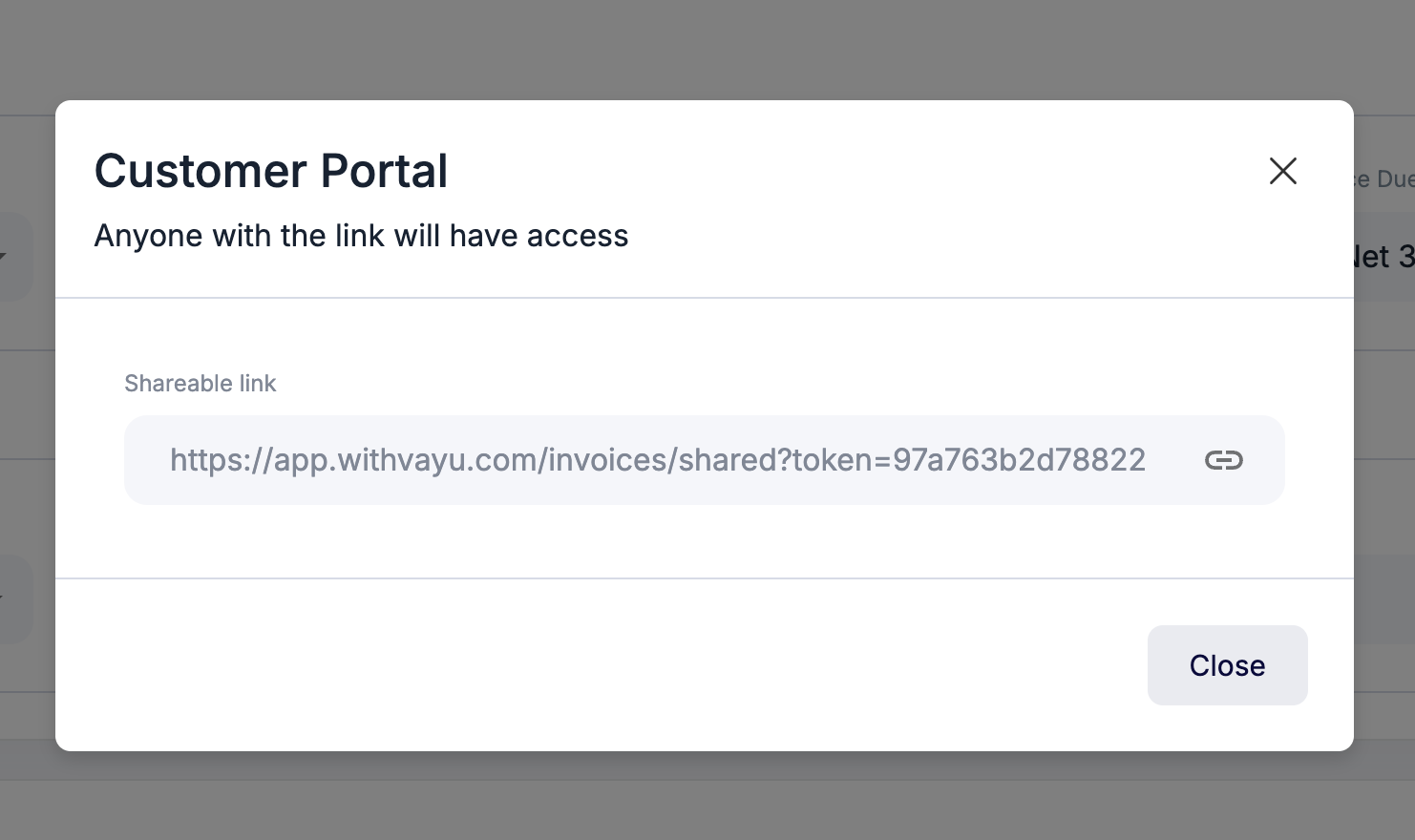
Send the link to the customer or open it internally to review the portal.
Anyone with the link can access the portal. Share it only with authorized recipients.
Using the Portal
When the link is opened, the customer is taken directly to their invoice portal.
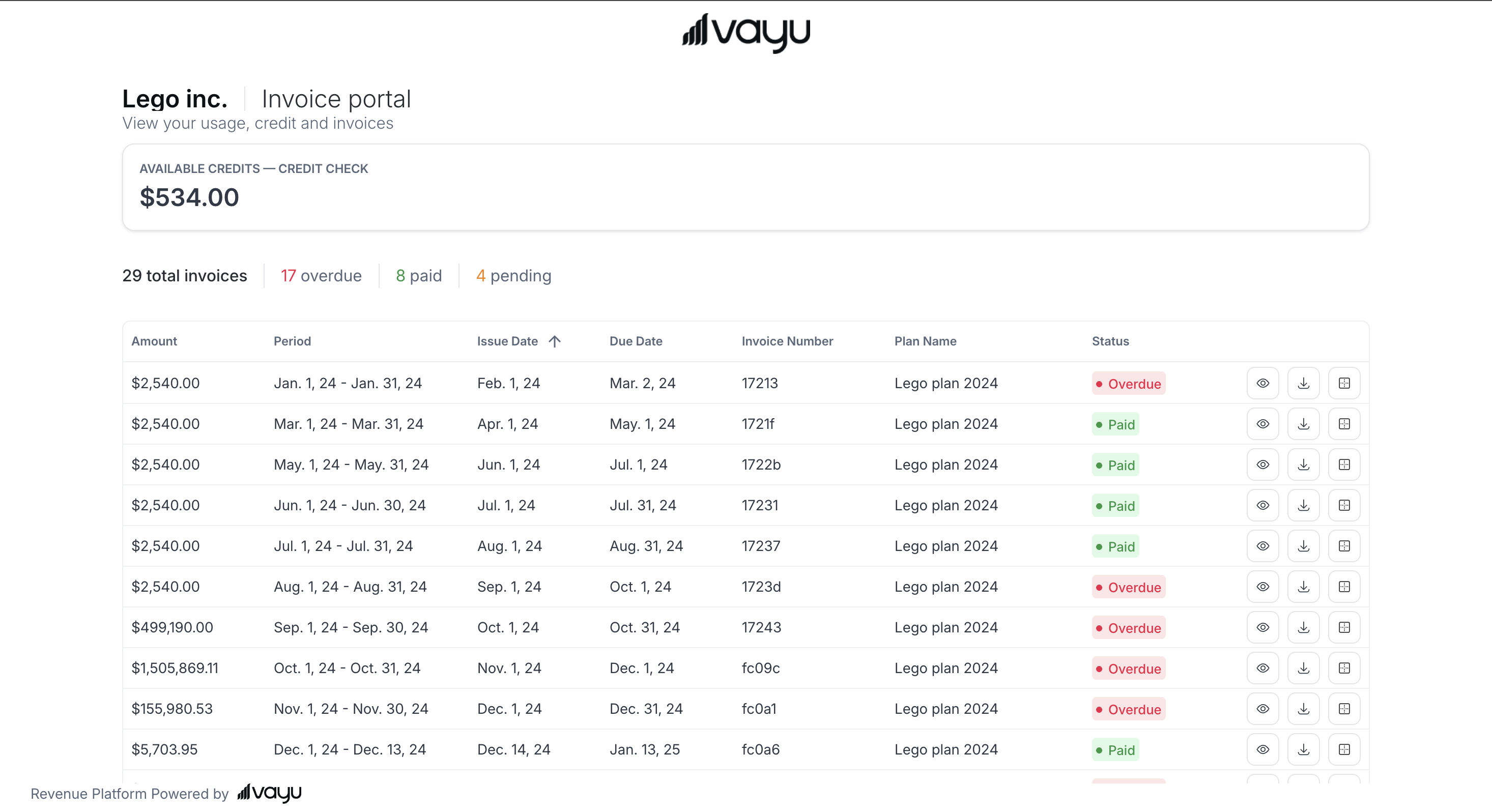
The top of the portal shows the customer and billing entity names, the total number of invoices, and the number of Overdue, Paid, and Pending invoices.
The invoice table includes the following fields:
| Field | Description |
|---|---|
| Invoice | The invoice number or identifier |
| Issue Date | The date the invoice was issued |
| Due Date | The date payment is due |
| Amount | The total invoice amount |
| Status | The current invoice status, such as Paid or Overdue |
Users can sort supported columns, change the number of rows displayed, and move between pages when the customer has multiple invoices.
Displaying Credits
When an approved credit invoice creates a credit pool for the customer, its balance appears automatically in the portal. To create a credits-focused portal, enable Show consumption and credits balance only in the customer portal settings.