

Usage
The Data Metering — Usage section provides visibility into the consumption data that powers usage-based billing, metering workflows, and operational reporting within Vayu. From here, teams can monitor tracked usage activity, validate incoming data, and review how usage is connected to pricing or invoicing workflows.
Usage data is a core input for billing calculations and revenue operations across the platform. Use this page to track customer consumption against contractual commitments, review billable activity, validate imported usage records before invoicing, and identify usage trends over time.
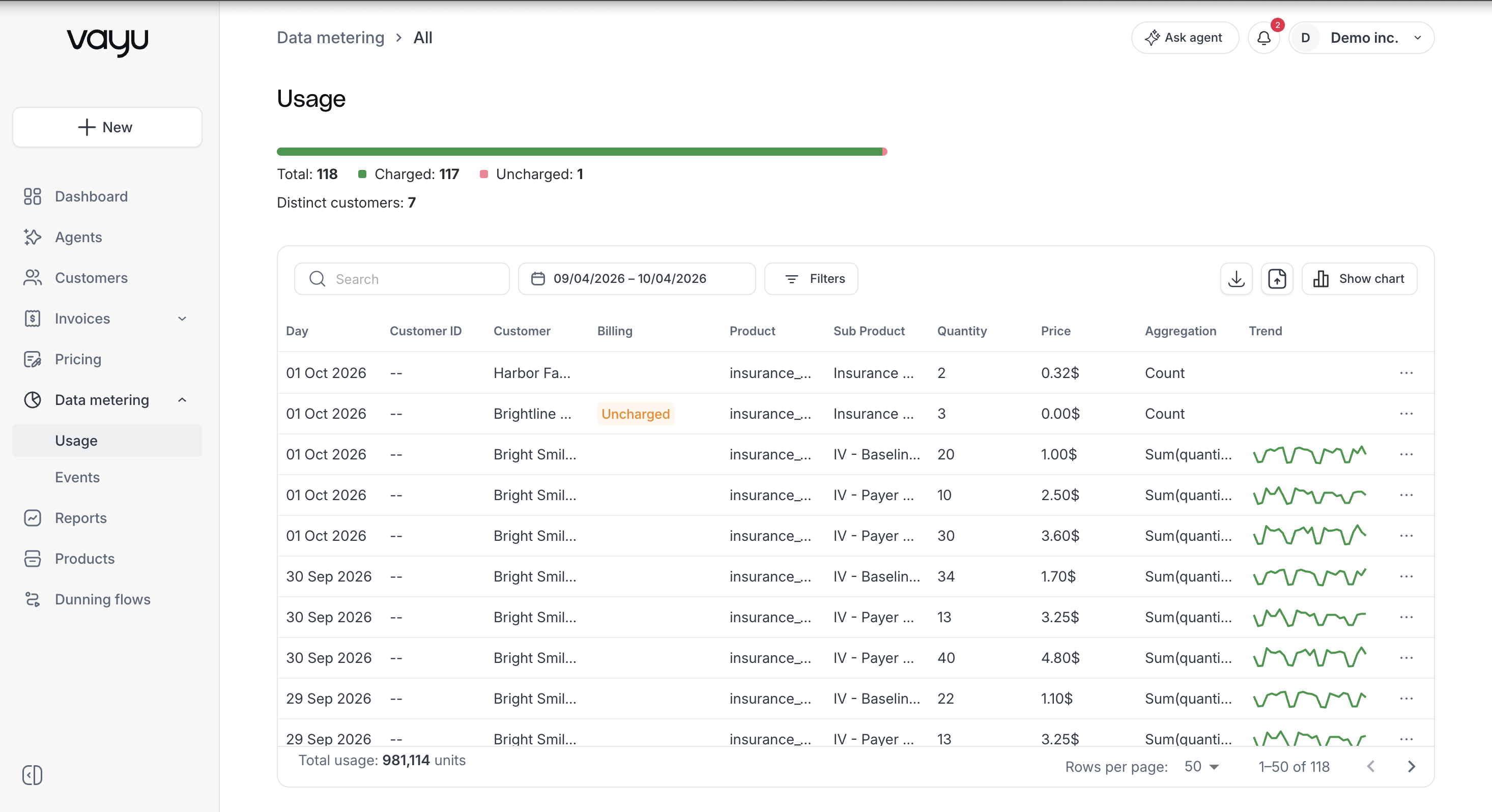
At the top of the page, filtering and monitoring tools help you review usage activity across customers, products, event names, and billing periods. Each record represents usage attributed to a specific product for a specific customer on a given day.
Usage-Over-Time Chart
The Usage page includes a usage-over-time chart for reviewing consumption trends across the selected filters. Use the chart to identify spikes, drops, seasonality, or other usage patterns before reviewing the underlying table rows.
Usage Table
The table includes:
- Day – The date the usage was recorded.
- Customer ID – Internal identifier for the customer.
- Customer – Customer name.
- Product – The product associated with the usage.
- Sub Product – A more granular classification of the product, if applicable.
- Quantity – The number of billable units recorded.
- Price – The price applied to the usage record.
- Aggregation – The aggregation used to summarize the measurement.
- Trend – The directional usage trend for the row or selected period.
At the bottom of the page, you can see total usage for the filtered results, pagination controls, and rows-per-page selection.
Filters
You can filter usage data using:
- Search – Finds usage by customer name, legal name, external ID, or alias.
- Date range – Shows usage recorded between the selected start and end dates.
- Customer – Shows usage for selected customers, including their child customers.
- Product – Shows usage associated with selected metered products.
- Event name – Shows usage generated by selected event types.
- Aggregation – Filters usage by calculation method, such as sum or count.
- Uncharged events – Shows charged usage, all uncharged usage, or usage uncharged because no contract exists or the contract ended.
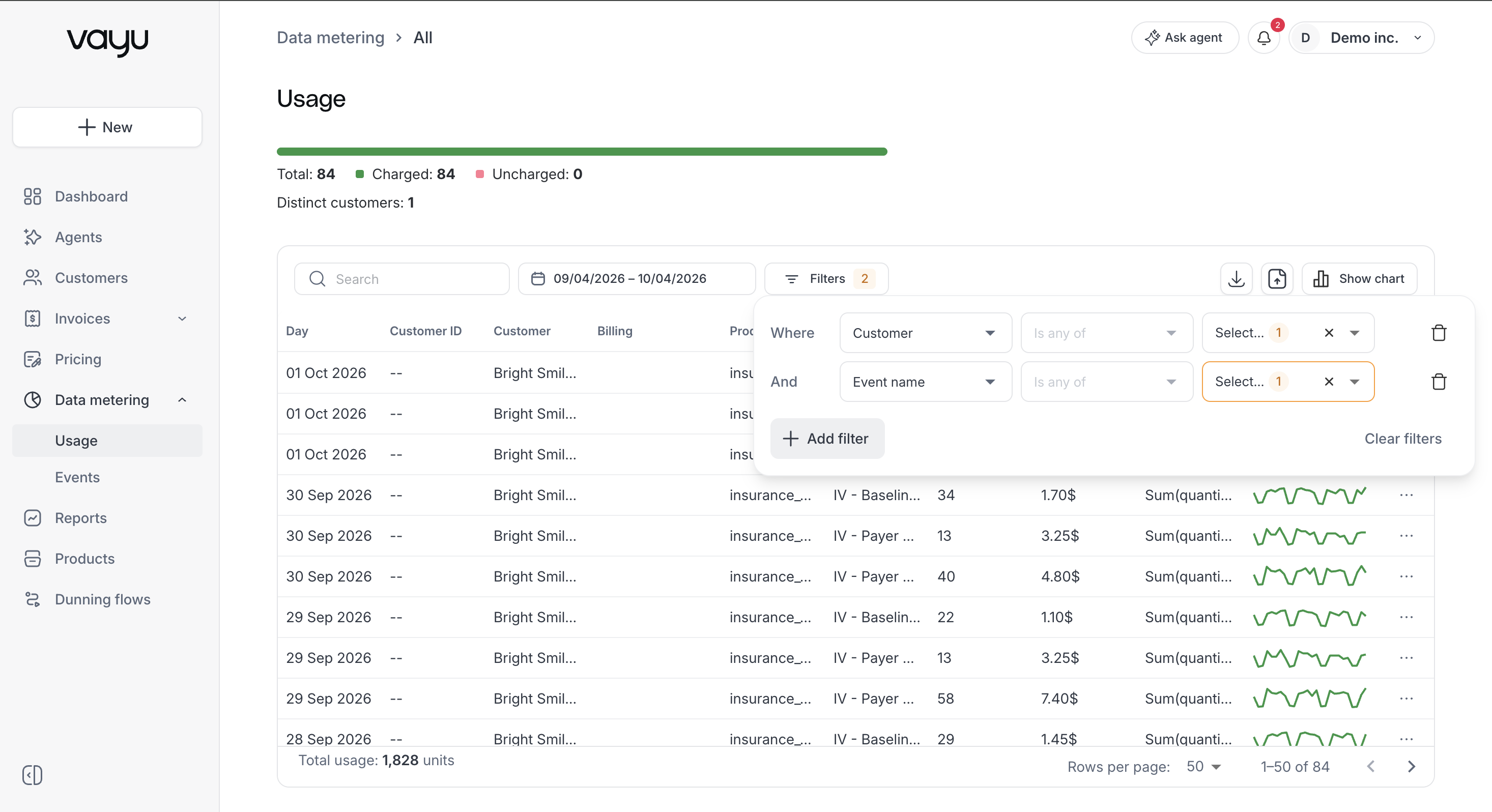
Filters allow you to focus on a particular contract period, customer account, product line, or event name when validating billing data.
Edit Measurement Units
Usage rows can be reviewed individually. When available, use the per-row edit action to update a measurement's units. This is useful when a measurement needs correction before billing or reconciliation.
Upload Data
Use Upload data to import usage measurements into Vayu. Uploaded data can then be validated through the filters, chart, and usage table before it is used for billing workflows.
Exporting Usage Data
Click Download to export usage data based on the currently applied filters. This is useful for reconciliation, reporting, or auditing.