

Subsidiaries
Subsidiaries
A subsidiary represents a legal or operating entity within your Vayu account.
Each subsidiary stores entity-specific information, including its tax ID, address, bank details, and other account settings.
You can designate one subsidiary as the primary subsidiary. You can also link each Vayu subsidiary to the corresponding subsidiary in your ERP so records synchronize with the correct entity.
When you enter the Subsidiaries page, you will see the Subsidiaries Management section where you can + Create New entries. When you press the + Create New button, you'll be presented with a window to fill in essential data such as the company name, tax ID, and address information.
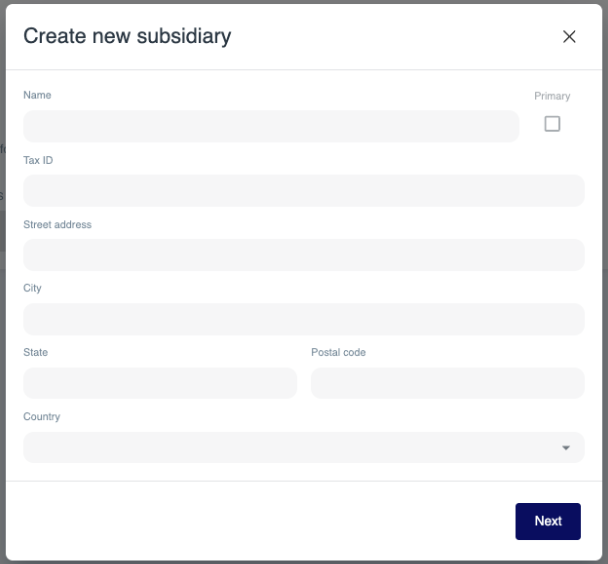
Hit Next to enter financial information such as the bank name, account number, IBAN, Swift code, and ABA.
Finally, hit Create.
Once entered, subsidiaries will be listed with the date the entry was created and the tax ID.
Sync With ERP
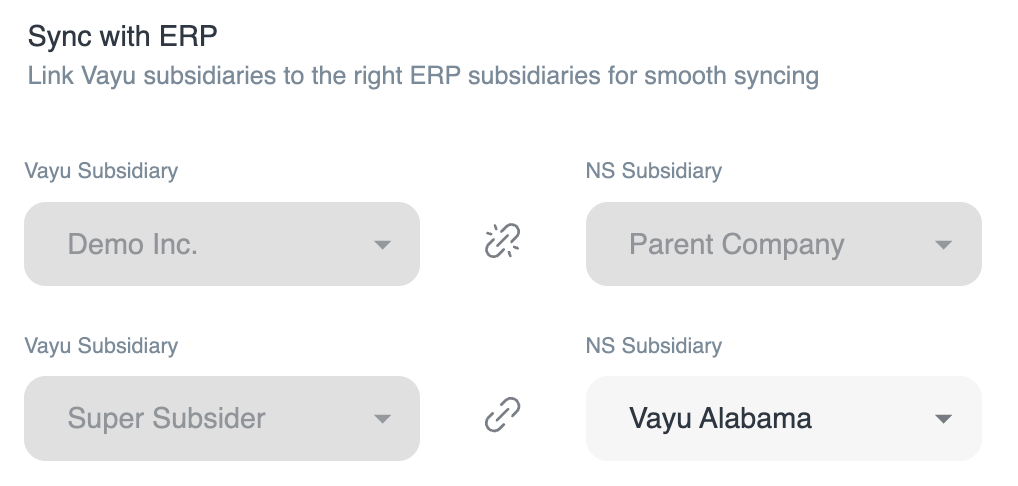
You can sync Vayu-entered subsidiaries with those listed in an integrated ERP such as NetSuite.
Choose from a dropdown list of subsidiaries from either side of the integration, press the linking icon between them, and the two entities will sync.
To un-sync two entities, press the link icon again.