Pricing Overview
Manage reusable plan templates, customer contracts, pricing products, and contract-level promotions.
The Pricing section defines how products, subscriptions, usage, credits, discounts, and contract terms are priced across customer agreements. It provides a centralized location for reusable plan templates and customer-specific contracts.
A contract anchors the customer, products, prices, promotions, start date, term, billing behavior, and product-level modifications. Each contract can include multiple fixed-fee products, usage-based products, credits, and discounts.
Plan templates are reusable pricing structures. Use a template when the same commercial model should be assigned to one or more customers. Use a direct contract when the commercial terms are customer-specific from the start.
Plans List
The Pricing list is the main workspace for finding and managing plan templates and contracts. Use the list controls to narrow the table before opening a specific plan or contract.
The list supports search, filters, export, and column settings. Search is used to find a specific plan or contract by name. Filters narrow the list by available table attributes, such as status or type. Export downloads the current list view for offline review. Column settings control which fields appear in the table.
Plan Templates Tab
Use the Plan Templates tab to manage reusable pricing structures. A template can include fixed fees, usage-based fees, credits, discounts, billing settings, and product modifications. After a template is created, it can be assigned to customers to create customer contracts.
Create a Plan Template or Customer Contract
When you sign into Vayu, navigate to the left-hand menu and select Pricing.
Select + Create from the top-right corner of the list. The creation wizard lets you choose whether to start a new contract, create a new template, or choose an existing template.
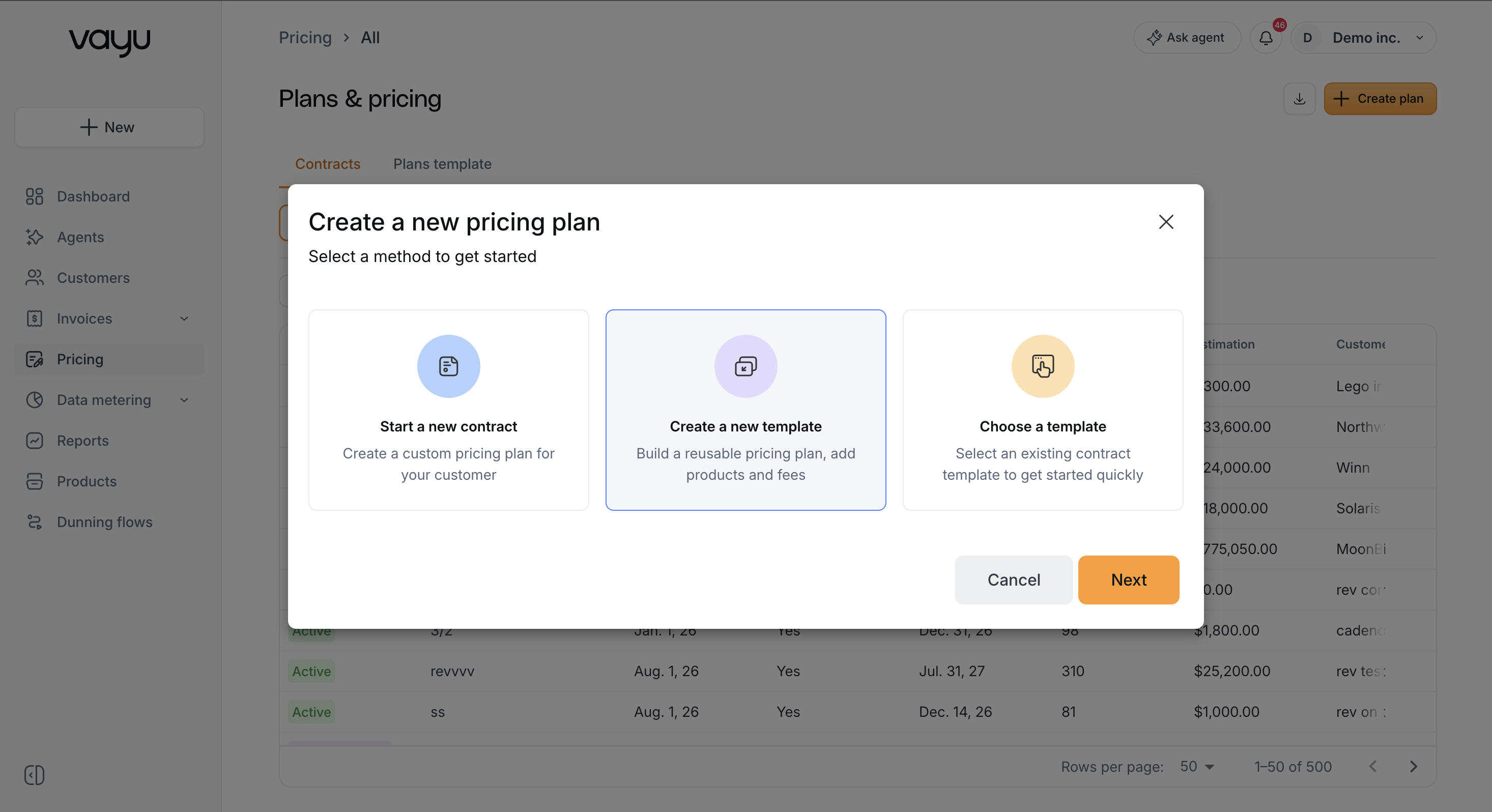
If you create a template, the flow defines reusable plan terms. If you start a contract or choose a template for a customer, the flow must also include the customer-specific contract details, including the customer, contract start date, contract type, currency, products, prices, and applicable promotions.
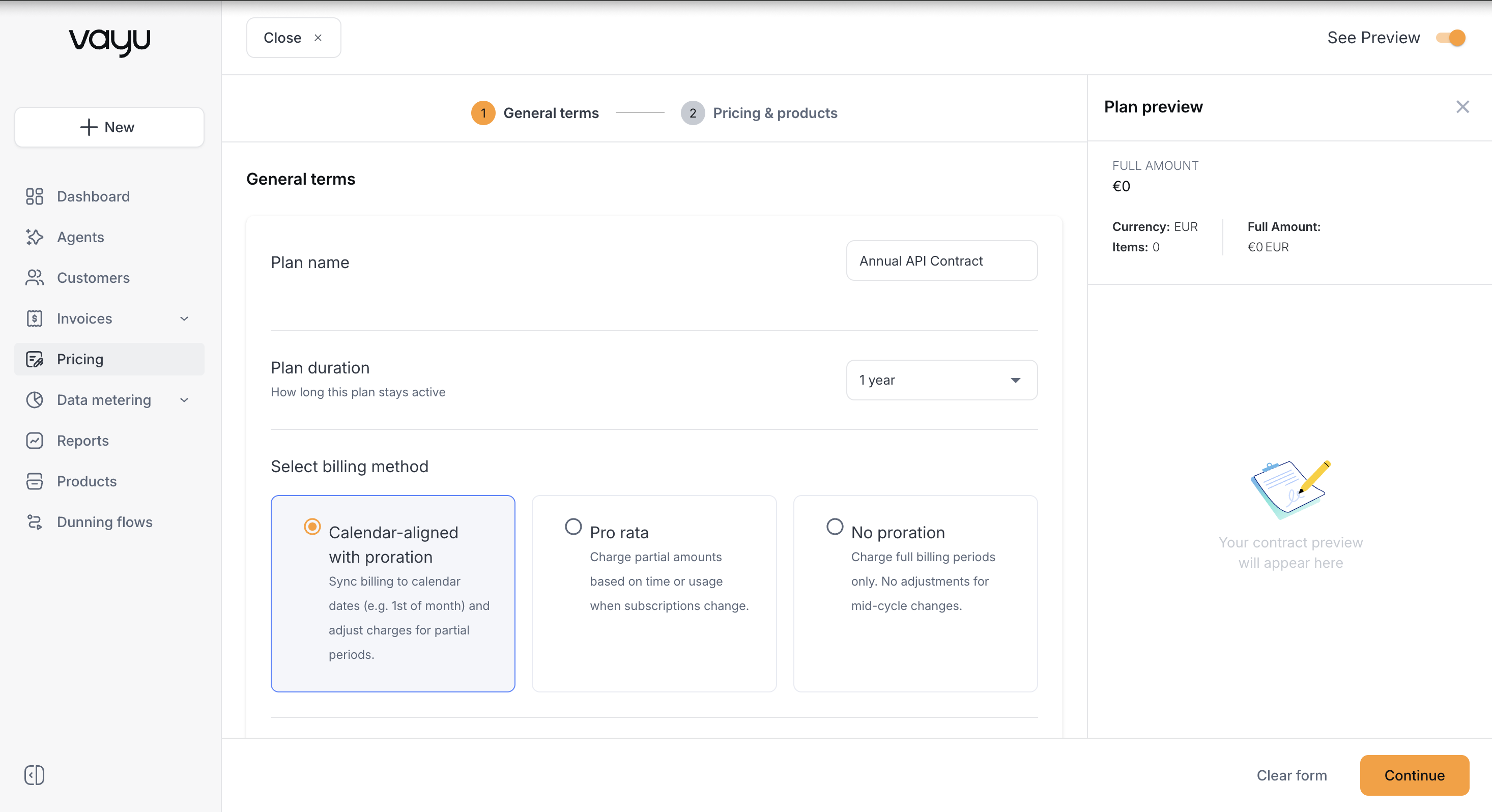
On the General Terms page, define the plan or contract name, duration, start date, billing method, and renewal behavior. Duration can be a fixed range of months or evergreen.
The billing method controls proration behavior:
-
Calendar-Aligned with Proration – Billing aligns to calendar intervals. If a contract starts mid-period, Vayu issues a prorated invoice for the partial period.
Example: A contract starts March 15. Vayu creates a prorated invoice for March 15 through March 31, then bills on the regular monthly calendar cadence from April 1.
-
Pro Rata – Billing follows the contract start date. Changes or early termination generate prorated charges for partial usage.
Example: A contract starts March 15 and terminates June 10. The final invoice is prorated for May 15 through June 10.
-
No Proration – Invoices are not adjusted for partial periods. Customers are charged the full amount for the billing interval.
Example: A contract starts March 20. The first invoice is still generated for the full month of March.
Select Continue to configure pricing and products.
Pricing & Products Page
On the Pricing & Products page, add the commercial components that belong on the plan template or contract:
- Service fees
- Usage-based fees
- Credits and discounts
A plan or contract must include at least one product before it can be saved.
Service Fees
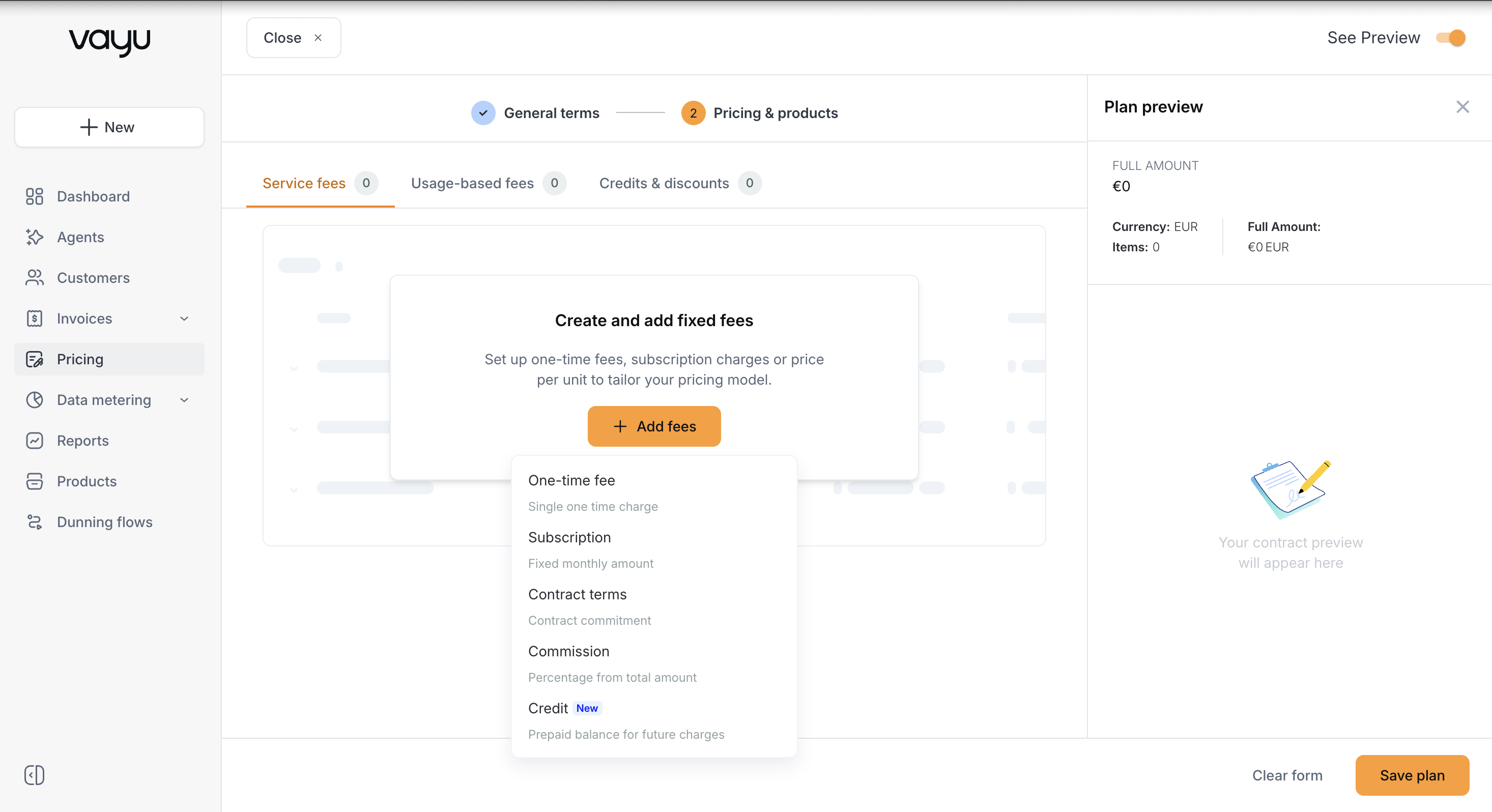
In the Create & Add Fixed Fees box, select + Add Fees. The dropdown includes four service-fee options:
- One Time Fee
- Subscription
- Contract Terms
- Commission
Usage-Based Fees
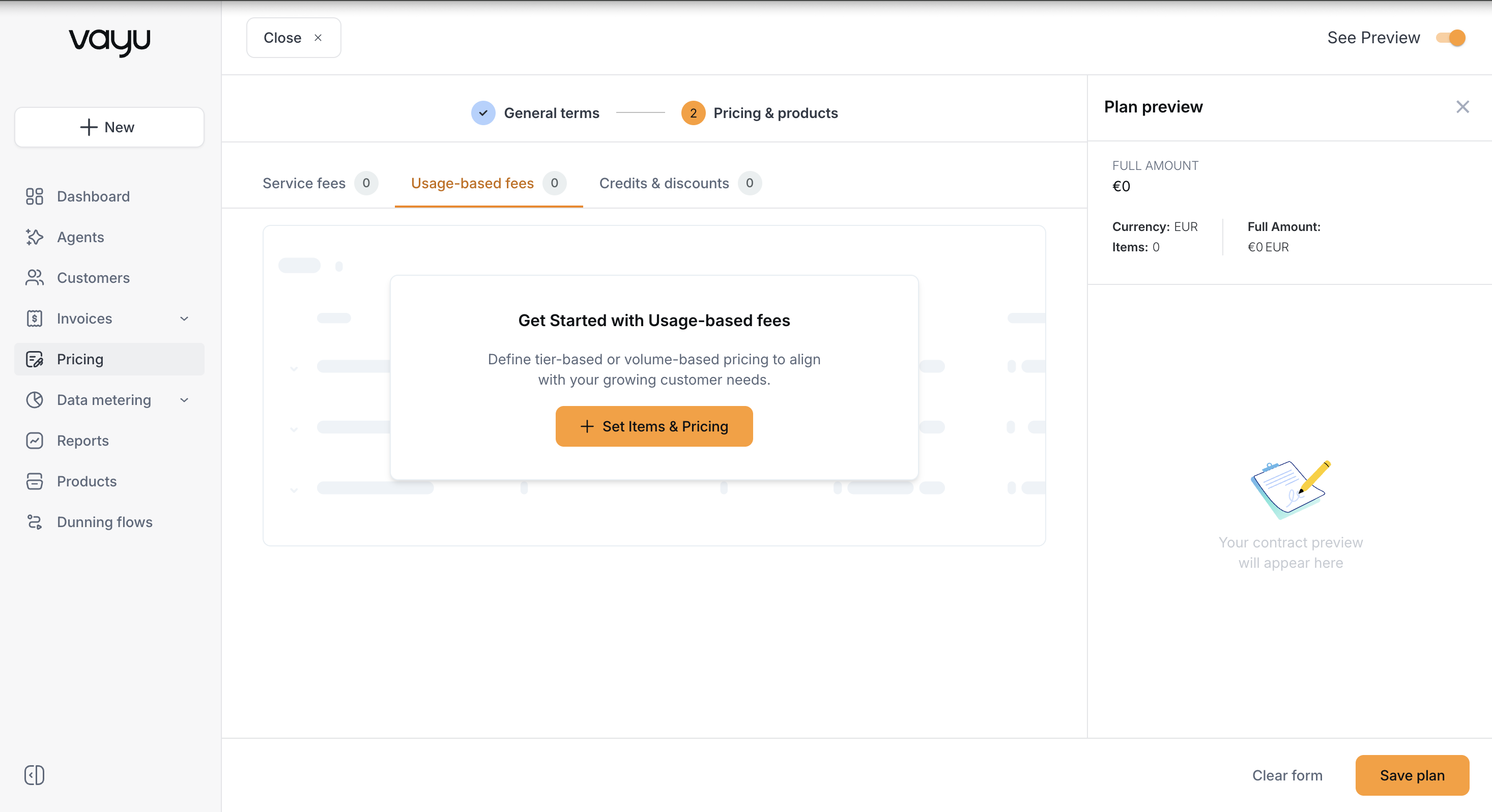
On the Usage-Based Fees page, select + Set terms & Pricing, then select the pricing model you want to configure.
Usage-based fee setup includes Select pricing, Select product source, and Product name. The pricing models include:
- Tiered
- Volume
- Per Unit
- Revenue Share
- Tiered Subscription
Usage-based products can also include item settings, schedules, metering configuration, meter reset behavior, commitments, base amounts, and credits allocation. For detailed configuration, see Usage-Based Fees and Base Amount and Commitment.
Credits & Discounts
Credits and discounts can be applied at the contract level or at the product level.
Go to the white box titled Credits & Discounts, then select + Add Promotions. The promotion menu includes:
- Credits - Usage fees
- Percentage Discount
- Metered Credit
Credits reduce eligible usage fees according to the credit configuration. Percentage discounts reduce eligible charges by a percentage. Metered credits apply credit logic against metered consumption.
If required fields are missing when you apply a credit or discount, Vayu prompts you to complete them before saving.
After adding a promotion, select Modify to configure its available settings. Depending on the promotion type, settings can include product description, recurrence behavior, credit allocation, and eligible products.
Product Modifications
Select Modify on a product line item to configure settings for that specific product. The available settings depend on the product type.
Fixed-fee products can include product descriptions, discounts, custom start dates, custom date ranges, installments, contract upfront behavior, postpaid behavior, seat-based quantities, and separate-invoice settings.
Usage-based products can include product descriptions, schedules, data metering, pricing tables, meter reset behavior, meter refill behavior, commitments, base amounts, bulk pricing, grouped products, and credit allocation.
Settings that appear on multiple product types include Product Description, Custom Start Date, Add Discount, and Issue as Separate Invoice. Product-specific settings are documented in the fixed-fee and usage-based fee pages.
Sample
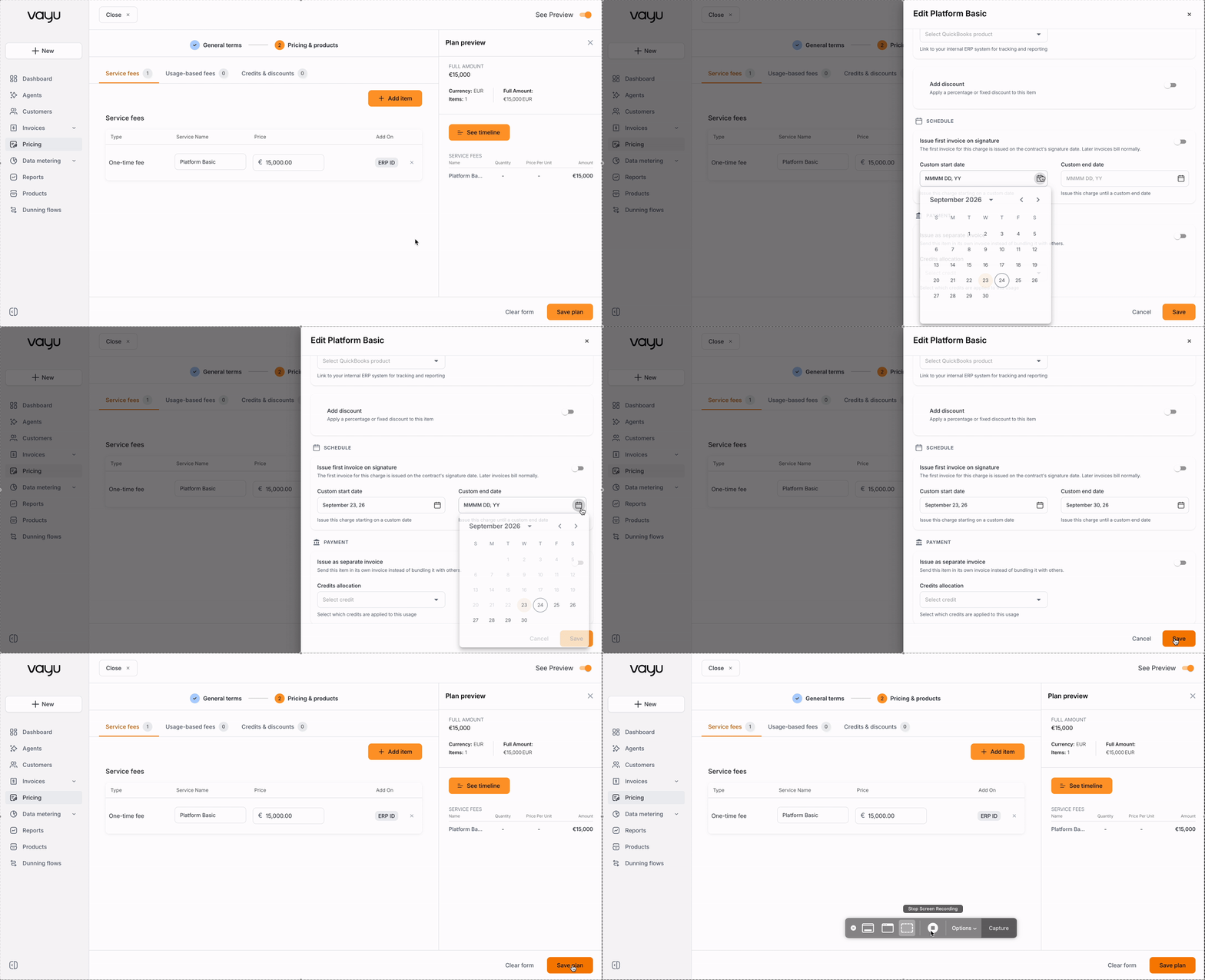
This sample shows how to set a customer start date on a fixed product.
From the white box titled Create & Add Fixed Fees, select + Add Fees. Choose one time fee, subscription, contract terms, or commission.
Next, select Modify. Under Schedule, set the date when this product should begin billing.