

Contract Intake
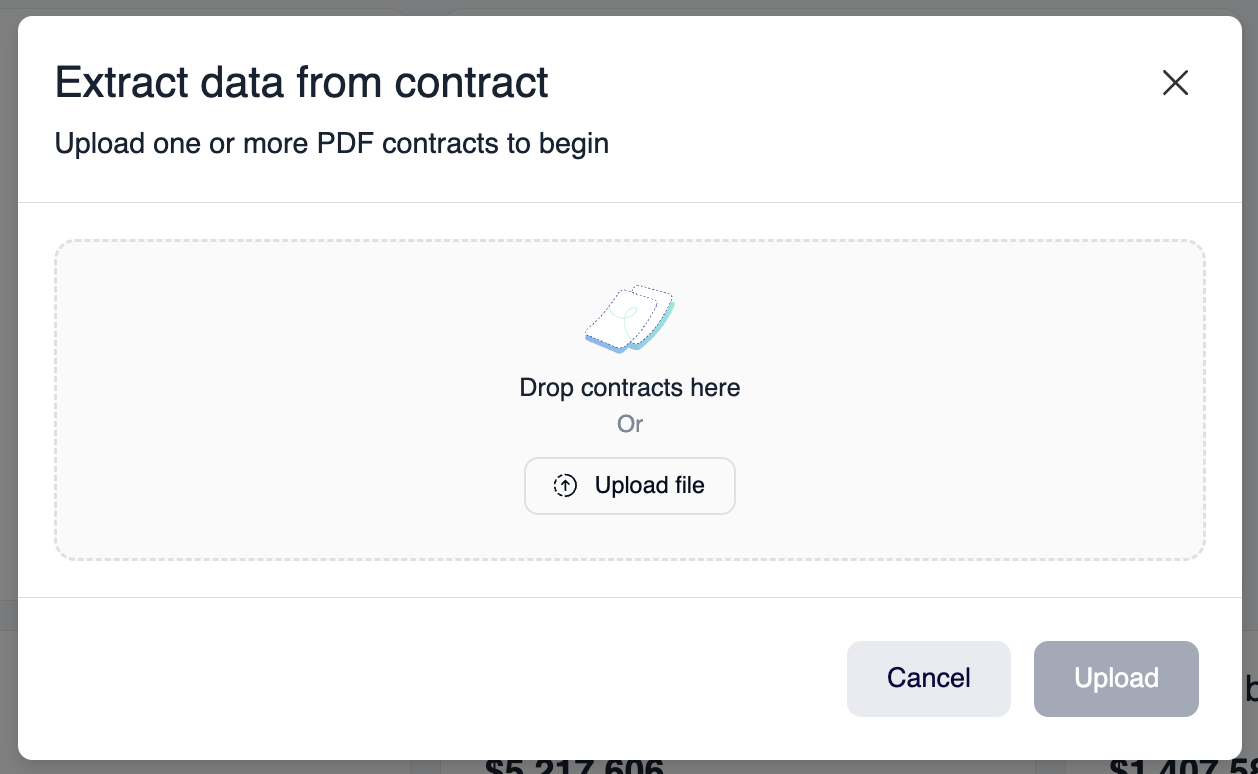
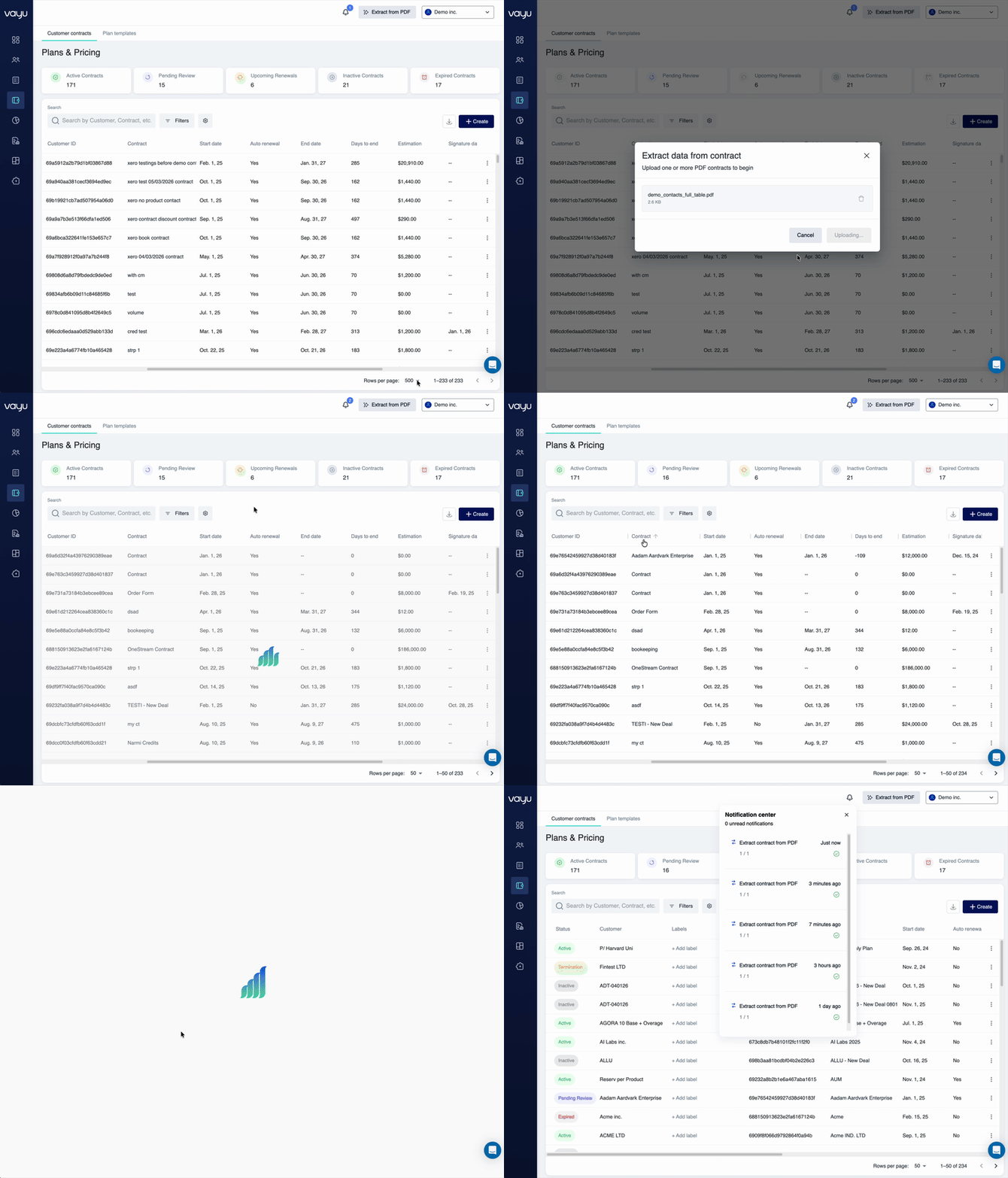
Contract Intake uses AI to turn signed contract documents into structured contract records in Vayu. Instead of manually entering contract details, such as terms, pricing details, dates, commitments, and billing rules, you can upload a contract PDF and review the extracted data before saving it.
Customer information may also be extracted during this process, but the primary purpose of Contract Intake is to accelerate contract setup and reduce manual data entry.
Overview
Contract Intake helps you create contracts from existing PDF agreements by extracting key commercial and operational details, including contract terms, effective dates, billing frequency, pricing, products, line items, commitments, minimums, discounts, promotions, and renewal terms.
How to Use Contract Intake
You can start Contract Intake from either the global create menu or a customer record.
Option 1: From the global create menu
- Open the global + Create menu.
- Select Smart contract upload.
- Upload the contract PDF.
- Review the extracted contract data and make any necessary adjustments.
- Save the contract to complete the process.
Option 2: From a customer's Contracts tab
- Navigate to Customers.
- Select the relevant customer.
- Open the customer's Contracts tab.
- Select Upload contract.
- Upload the contract PDF.
- Review the extracted contract data and make any necessary adjustments.
- Save the contract to complete the process.
Supported Contract Fields
The AI extraction process can identify and populate contract-related fields such as contract start and end dates, billing cycle and frequency, payment terms, renewal conditions, product line items, fixed fees, usage-based pricing, commitments, minimums, discounts, promotions, plans, contracted products, customer-specific pricing terms, and relevant customer information.
Customer Information
During Contract Intake, Vayu can also extract customer information from the uploaded PDF. This helps connect the contract to the correct customer record.
Extracted customer information may include company name, contact details, billing address, and customer identifiers.
Best Practices
Use text-based PDFs rather than scanned images whenever possible. Review all extracted contract data before saving. Check pricing, dates, commitments, and billing terms carefully.