

Billing Reports
Billing forecast
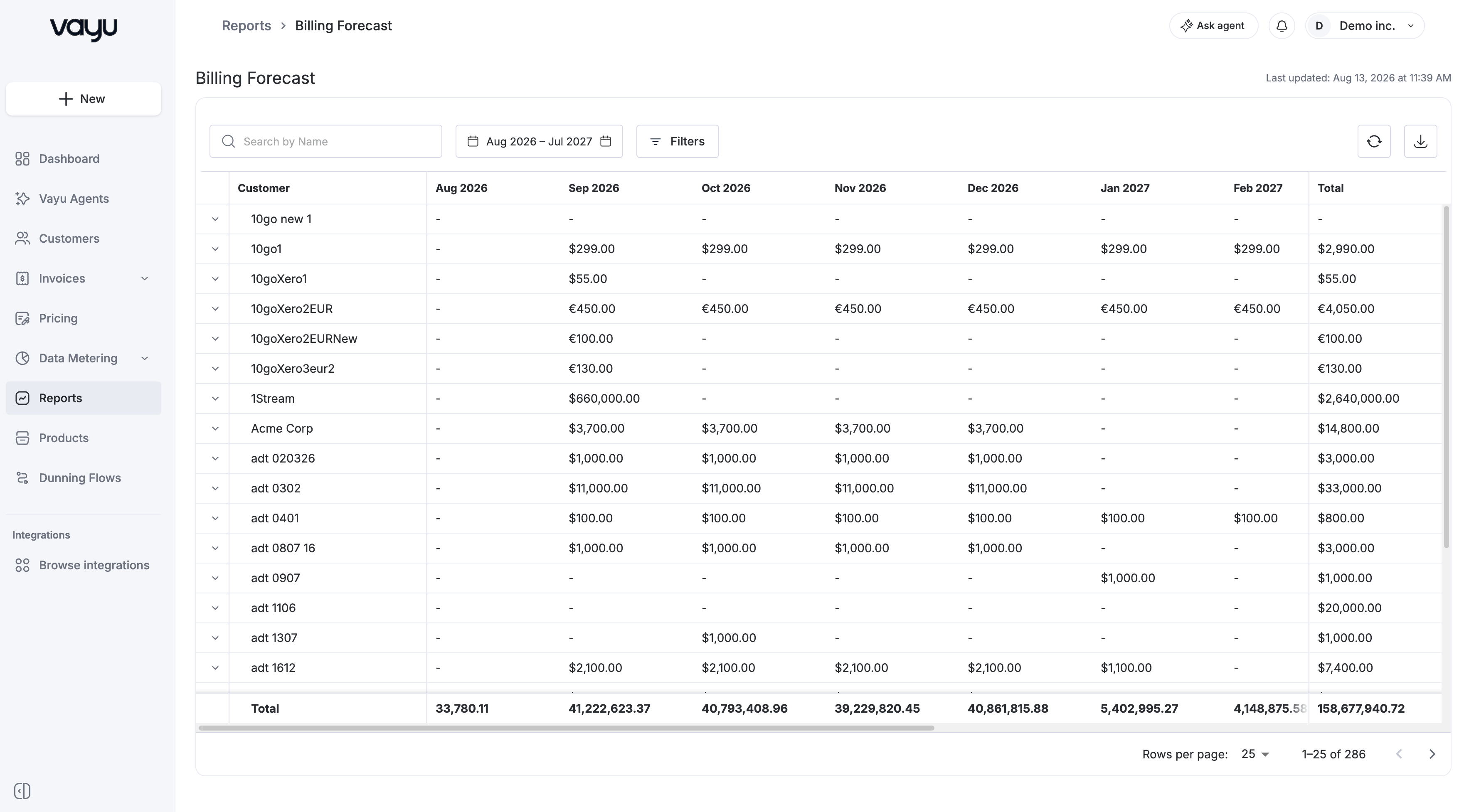
On the Reports page this card is Billing forecast, with the subtitle Upcoming invoices.
The Billing Forecast report displays a single projected total field. It does not separate the forecast into projected subtotal and projected tax fields.
The forecast can be broken down by product or pricing component. Invoices are summed per customer and month.
AR health
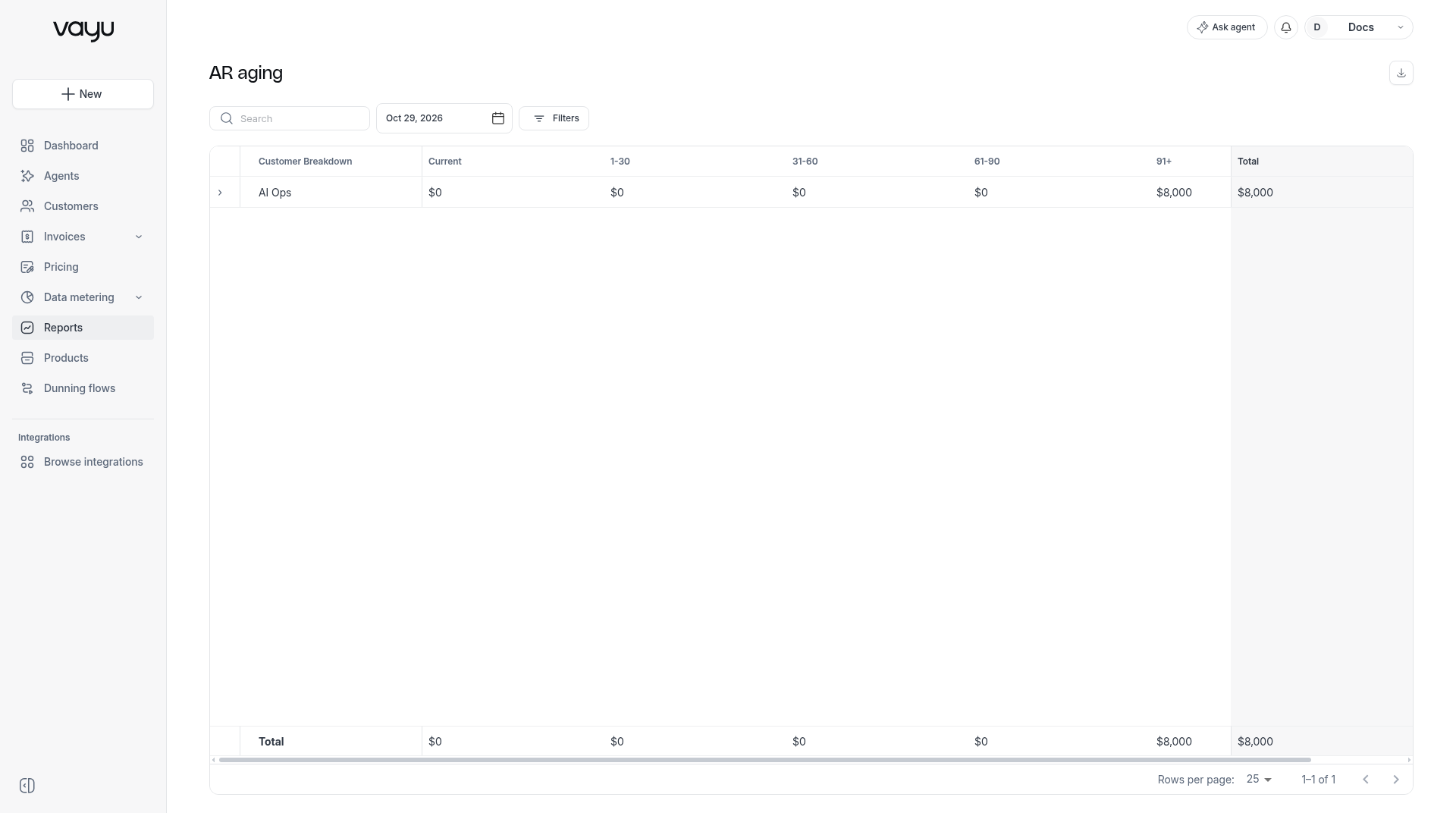
On the Reports page this card is AR health, with the subtitle Overdue cohort. The report page title is AR aging.
Below the title, the toolbar starts with a Search box, then an unlabeled date field, then Filters. The date field shows a calendar icon. It defaults to today and is the date the aging is calculated as of. Dates after today cannot be selected.
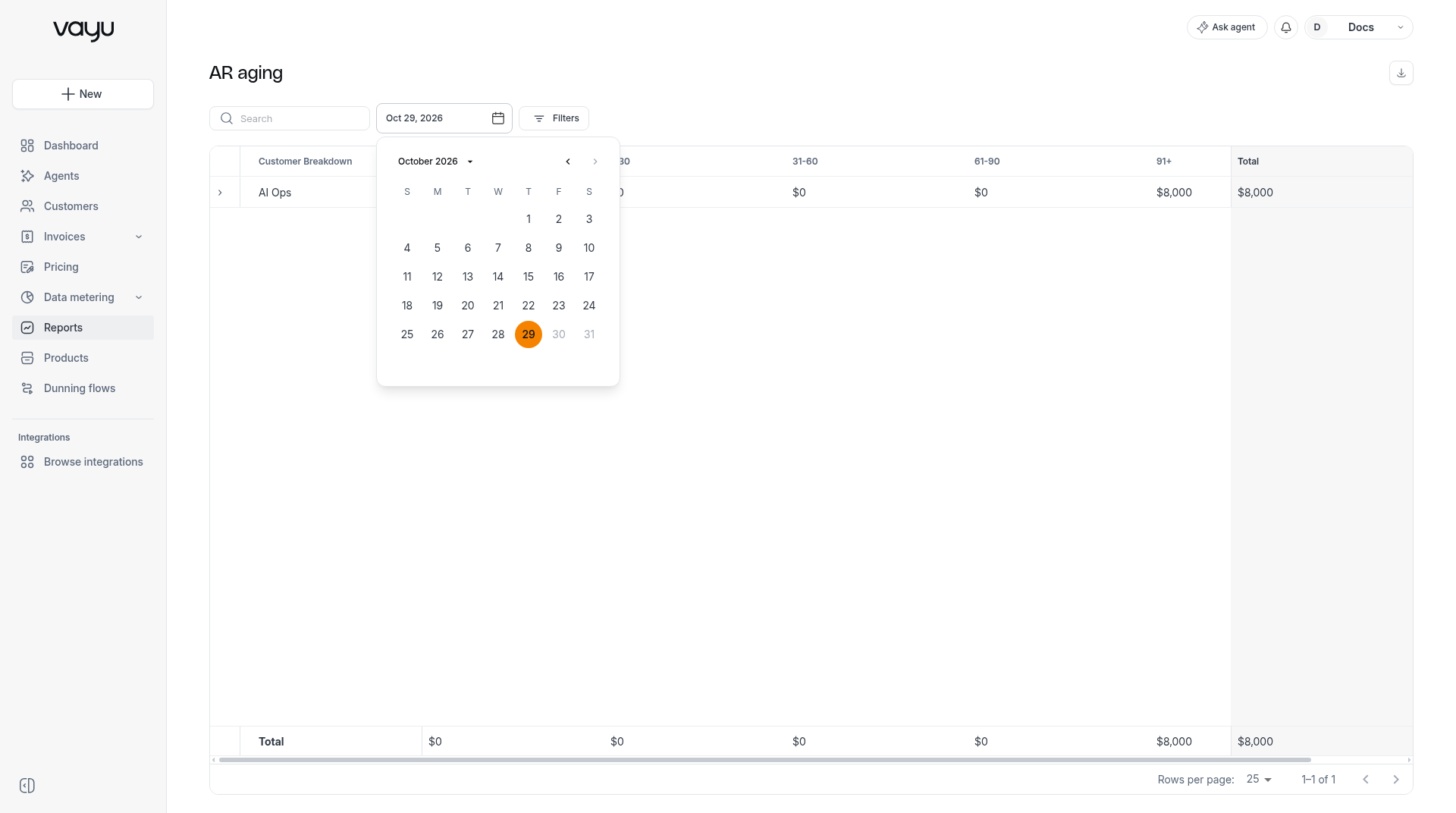
Columns are:
- Customer Breakdown (each row can be expanded)
- Current
- 1-30
- 31-60
- 61-90
- 91+
- Total
The table ends with a Total footer row.
The export icon on the title row downloads an Excel file. The file name includes the report and the as-of date, for example AR Aging Report 2026-10-29.xlsx. The workbook has two sheets:
- A summary by customer, with columns Customer name, Customer ID, Current, 1-30, 31-60, 61-90, 91+, and Total.
- Invoice detail, with columns Invoice number, Customer, Issue date, Due date, Gross amount, Open balance, and Days outstanding.
The file also includes Currency, As of, Total gross amount, and Number of invoices. Open balance is the amount still unpaid on that invoice as of the chosen date.
Customers & contracts
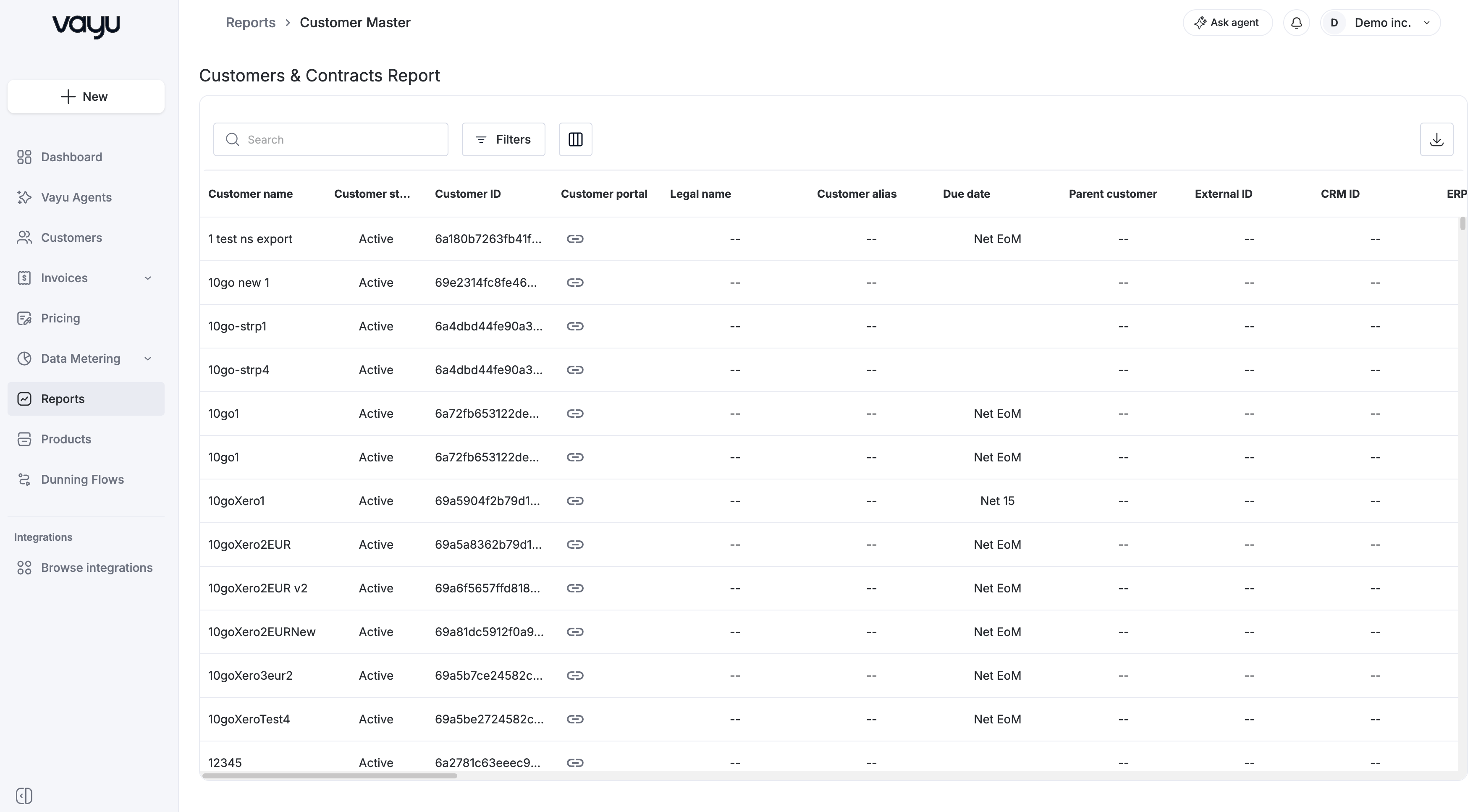
On the Reports page, Customers & contracts is its own category. The subtitle is All customers with their contracts.
The report does not include outstanding balance or payment history fields.
Email exception
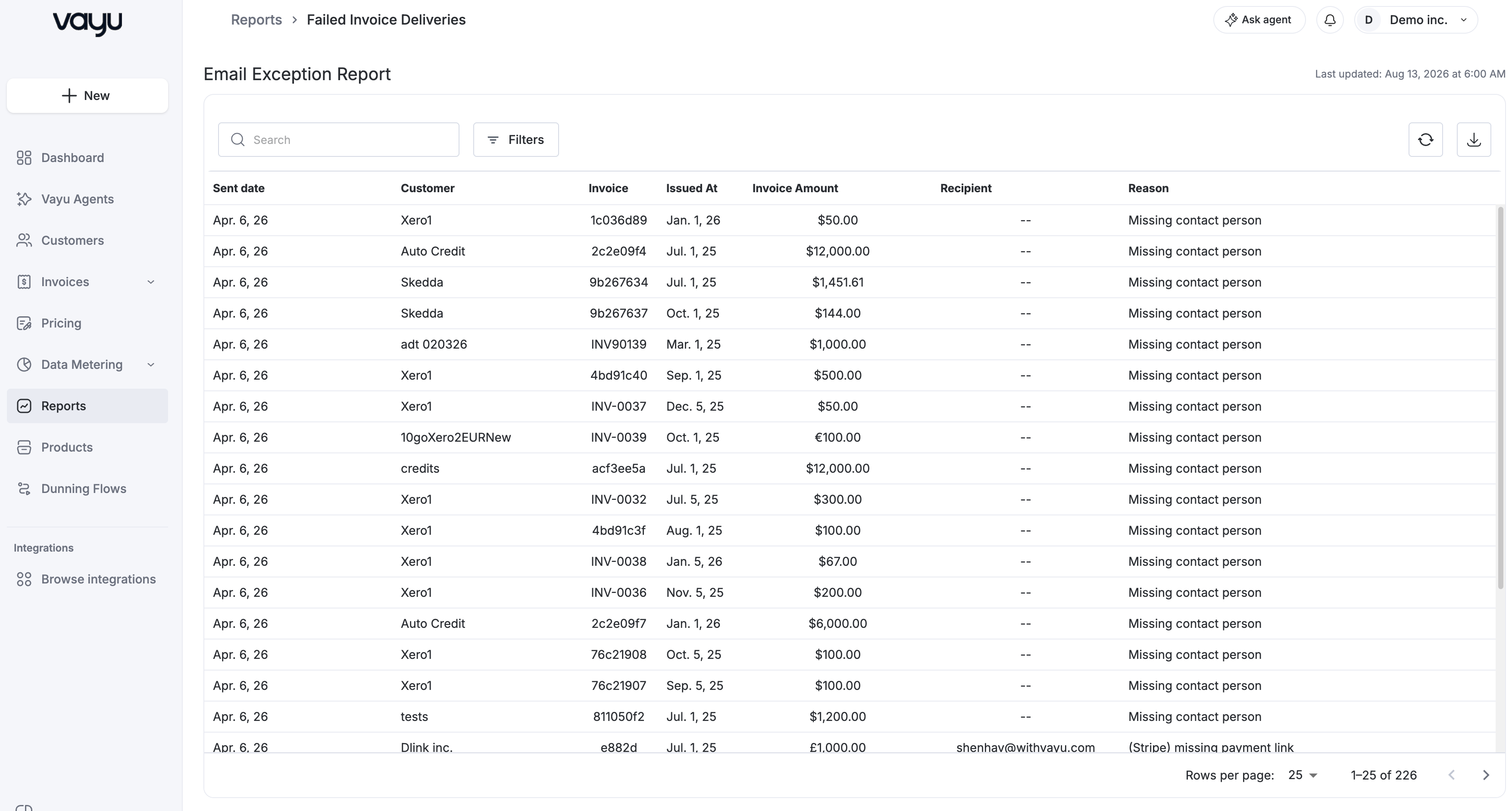
On the Reports page this card is Email exception, with the subtitle Track email delivery issues.